Here's the honest truth most guides skip: you don't need a €2,000 camera to become a content creator. You already own the camera. The phone in your pocket shoots sharp 4K video, and the creators you follow started with a lot less than you'd think.
What actually separates good content from unwatchable content isn't resolution. It's clear sound and steady footage. So the smart way to build your content creator starter kit is to spend in this order: sort your audio, steady your shots, then upgrade your camera. This guide walks you through every stage, with the gear we stock here at Heavins.ie for creators in Ireland, whether you're vlogging, filming for YouTube, or building a following on TikTok and Instagram.
Jump to what you need:
1. Start with the phone in your pocket
2. Fix your audio first
3. Steady your shots with a gimbal
4. Upgrade to an all-in-one vlogging camera
5. Go hands-free: action, wearable and 360 cameras
6. Take it to the sky: beginner drones
7. Edit anywhere: laptops and a monitor
8. Storage and power for long shoots
9. Build your content creator kit by budget
1. Start with the phone in your pocket
Before you spend a cent, point your phone at yourself and hit record. Modern smartphones shoot crisp 4K video, and for most new content creators the phone you already own is more than enough to start vlogging, film for YouTube, or post to TikTok and Instagram. The creators you admire almost all started exactly this way.
A few quick wins get you surprisingly close to a polished look:
- Wipe the lens. A smudged lens is the most common reason phone footage looks soft.
- Film in good light. Face a window or shoot outdoors. Natural light flatters more than any filter.
- Lock focus and exposure. Tap and hold on your subject so the phone stops hunting mid shot.
- Shoot the right way up. Vertical for TikTok, Reels and Shorts. Horizontal for YouTube.
- Keep it steady. Brace your elbows, or better still, add a gimbal (more on that below).
Two things hold phone footage back more than anything else: muffled sound and shaky movement. Fix those and you are already ahead of most beginners. That is exactly where the next two steps come in.
Filming at a desk instead? If you record talking head videos, tutorials or livestreams at a desk rather than out and about, a plug in USB webcam is a cheap upgrade on a laptop's built in camera. The Groove Full HD 1080p USB Webcam clips to your monitor and includes a tripod mount.
2. Fix your audio first

Here is the rule every experienced creator learns eventually: viewers forgive average video, but they switch off bad audio. If you upgrade only one thing beyond your phone, make it your sound. A phone's built in microphone picks up wind, room echo and every bit of background noise, and it gets weaker the further you stand from it.
The fix is a wireless lavalier microphone, a tiny clip on mic (also called a lapel mic) that sits on your collar and sends your voice to a receiver by radio, so your words stay clear and close no matter where the camera is.
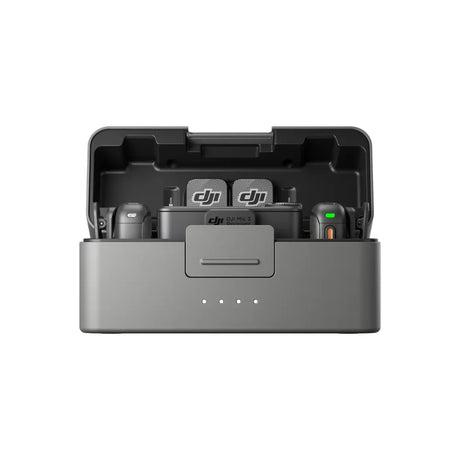
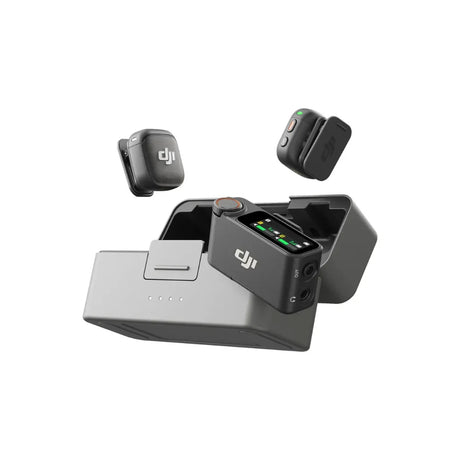
For most creators in Ireland, the DJI Mic Mini is the ideal first microphone. It is a two person wireless system: clip one transmitter on yourself and a second on a guest for interviews, with the receiver on your phone or camera. You get up to around 10 hours per charge, strong noise cancellation and a long wireless range so you can move freely. Best of all, it connects directly to a DJI Osmo Pocket 3, Osmo Action 5 Pro, Osmo Nano and Osmo 360 with no cable needed.
Ready to go a step further? The DJI Mic 2 adds higher end transmitters and onboard recording as a backup, a favourite for more serious vlogging. And if you already own a DJI Mic and just want a spare clip on, the DJI Lavalier Mic is a handy add on.
Best for: anyone who talks to camera, pieces to camera, interviews, tutorials and vlogs.
Skip if: you only shoot silent B roll or music led edits, where the camera's built in mic is fine.
3. Steady your shots with a gimbal

Shaky footage is the fastest way to look like a beginner, and a smartphone gimbal fixes it instantly. A gimbal is a motorised handle that holds your phone and smooths out every step, turn and hand wobble, so a simple walk and talk looks steady and professional. Most also track your face or a subject automatically, swivelling to keep you in frame while you move, which is ideal for solo creators.
The DJI Osmo Mobile range is the go to for phone based content in Ireland. The DJI Osmo Mobile 8 is the current model: it is light, folds down small, has a built in tripod and extension rod, and uses ActiveTrack to lock onto you as you move. If you want more reach and range for run and gun filming, the DJI Osmo Mobile 7P Pro adds a longer extension rod and a multifunction module.
Pair a gimbal with the wireless mic from the last step and your phone alone becomes a genuine content creation setup, with no separate camera required.
Best for: walking vlogs, pieces to camera and solo filming where you need to stay in frame.
Skip if: you only shoot from a tripod or a desk, where a gimbal is overkill.
4. Upgrade to an all-in-one vlogging camera

Ready for a real camera? A pocket vlogging camera is the natural next step up from a phone. These all in one cameras pack a large sensor and a proper mechanical gimbal into something the size of a chocolate bar, so you get sharper footage, better low light and rock steady stabilisation without carrying a bag of kit. A flip or rotating screen lets you frame yourself while you film, which is exactly what solo vloggers need.
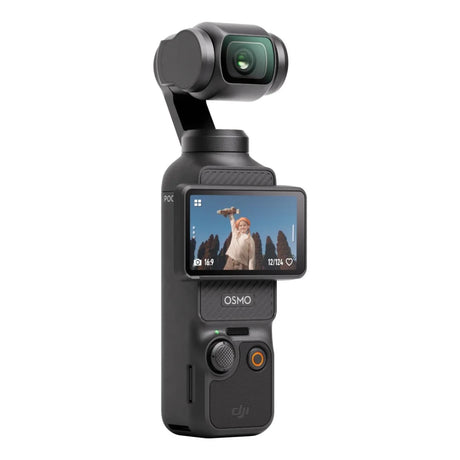
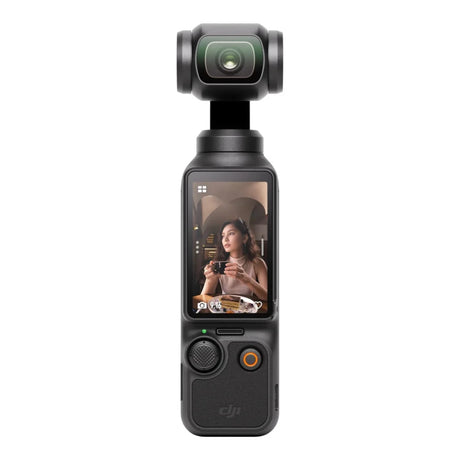
The DJI Osmo Pocket is the camera that defined this category, and it is the one most creators reach for. Two models are worth comparing: the Osmo Pocket 3 and the newer Osmo Pocket 4.
 The everyday all-rounder
Shop now ›
|
 The low-light upgrade
Shop now ›
|
|
| Sensor | 1-inch CMOS | 1-inch CMOS, new higher-resolution sensor |
| Video and slow motion | 4K up to 120fps | 4K up to 240fps |
| Stabilisation | 3-axis mechanical gimbal | 3-axis mechanical gimbal, ActiveTrack 7.0 |
| Low-light range | Very good | Wider dynamic range with 10-bit D-Log |
| Built-in storage | microSD card only | Large built-in storage plus microSD |
| Battery life | Full day of shooting | Noticeably longer for long days |
| Mic in Creator Combo | Includes a DJI wireless mic transmitter | Includes the newer DJI wireless mic transmitter |
| Best for | Everyday vlogging and best value | Low light, slow motion and long shoots |
Specifications are a general guide and can change. Check each product page for the latest details.
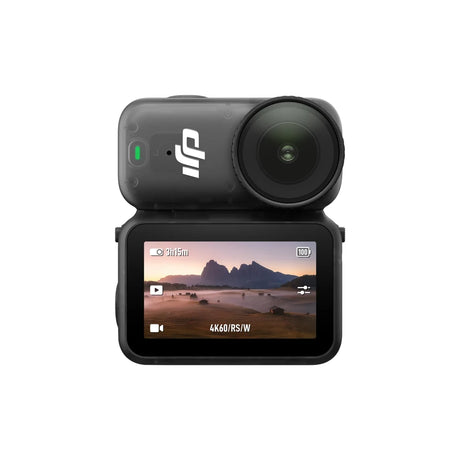
Which one should you buy? For most people starting out, the DJI Osmo Pocket 3 hits the sweet spot: superb 4K, a built in gimbal for buttery footage, a flip out screen for framing yourself, and it slips into a pocket. Step up to the DJI Osmo Pocket 4 if you film a lot in low light, want silky slow motion, or shoot long days and value the extra battery and built in storage.
Shop all DJI Osmo Pocket cameras ›
5. Go hands-free: action, wearable and 360 cameras

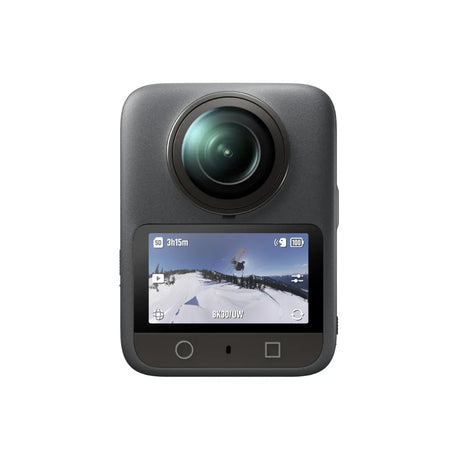
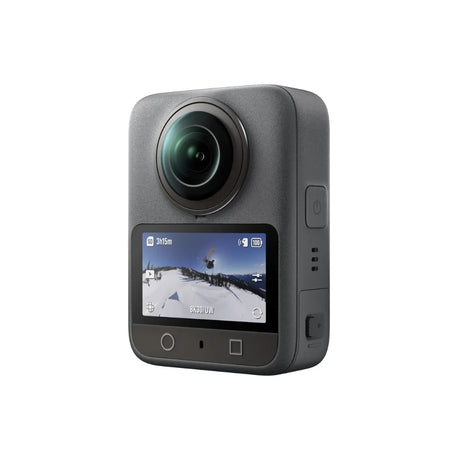
Some content is not made standing still. If you film sport, travel, cycling, watersports or anything hands free, an action camera is built for it: tiny, tough, waterproof and stabilised so smoothly the footage looks like it is floating. This is also where wearable and 360 cameras come in, letting you capture a point of view shot, or a full scene you can reframe afterwards.
Four cameras cover almost every style of active content, from the classic action cam to a clip on wearable and a full 360 camera. Here is how they compare.
 The classic action cam
Shop now ›
|
 The all-round adventurer
Shop now ›
|
 The wearable POV
Shop now ›
|
 Capture everything
Shop now ›
|
|
| Camera type | Action camera | Action camera | Wearable action camera | 360 camera |
| Max video | Up to 5.3K | Up to 4K120 | Up to 4K120 | Up to 8K 360 |
| Waterproofing | To 10m without a case | To 20m without a case, the deepest here | To 10m without a case | Waterproof with protection |
| Hands-free wear | With a mount or chest harness | With a mount | Yes, clips to a hat or lanyard | On a pole or mount |
| Standout strength | Lens mods and the biggest mount ecosystem | Long battery life and strong low light | Tiny and truly hands free | Films every direction, reframe later |
| Best for | Sport, mounts and maximum resolution | Rugged adventures and long days | First person point of view content | Immersive travel and creative edits |
Specifications are a general guide and can change. Check each product page for the latest details.
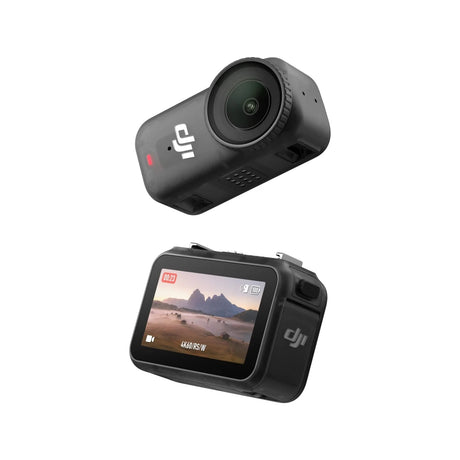
Which one is for you? For the biggest range of mounts and accessories, the GoPro HERO13 is the classic choice. For the best all round action camera with superb battery life, the DJI Osmo Action 5 Pro is hard to beat. Want something you clip on and forget? The tiny DJI Osmo Nano is made for hands free point of view content. And if you would rather film everything and choose your shot later, the DJI Osmo 360 captures the whole scene in one go.
6. Take it to the sky: beginner drones

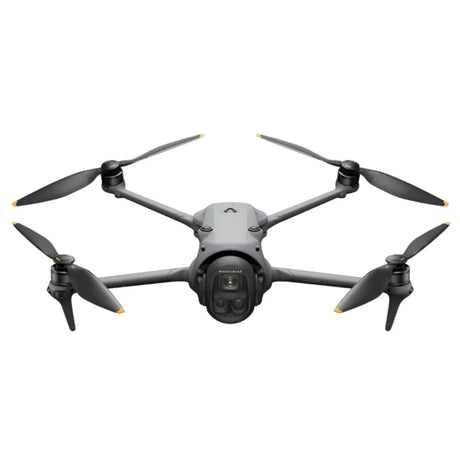
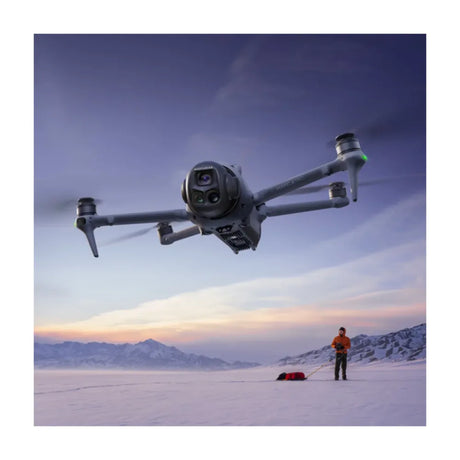
Nothing lifts your content like an aerial shot. A sweeping view over a beach, a mountain or a city instantly makes a video look cinematic, and today's compact drones make it genuinely easy. They practically fly themselves: they take off from your palm, follow you automatically, and capture smooth 4K from the sky with almost no learning curve.
Two DJI drones are perfect starting points for creators.
 The easiest first drone
Shop now ›
|
 The step-up all-rounder
Shop now ›
|
|
| Best for | Total beginners and quick selfie-style shots | Beginners who want a better camera and longer range |
| Camera | 4K stabilised video | 4K HDR video with a larger sensor |
| How it flies | Palm takeoff and landing, no controller needed to start | Folds flat, palm launch, flies further with the controller |
| Smart tracking | Follow me and QuickShots | ActiveTrack subject tracking and QuickShots |
| Standout | The simplest way to get an aerial shot | Bigger camera quality in a compact, foldable drone |
Specifications are a general guide and can change. Check each product page for the latest details.
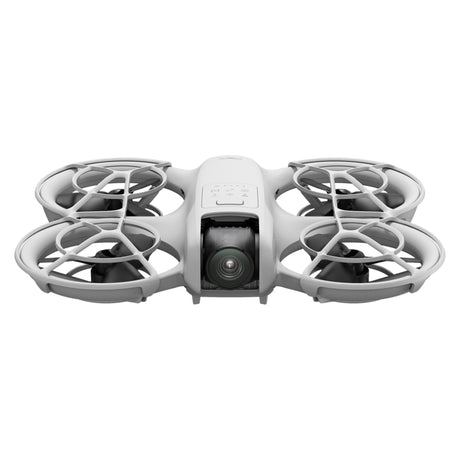
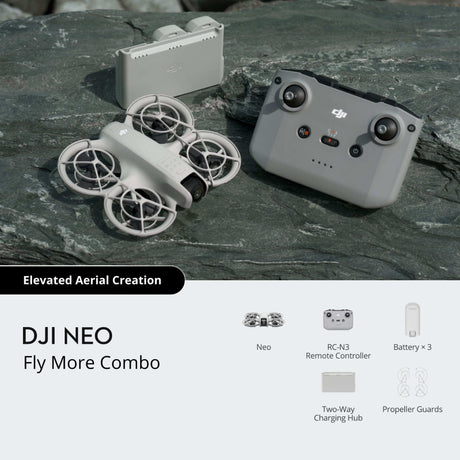
Which drone should you start with? New to flying? Start with the DJI Neo. It is the easiest way to get a smooth aerial shot: launch it from your palm, let it follow you, and you are filming from the sky in seconds. When you want a bigger camera, longer range and more creative control, the DJI Flip is the natural step up, folding away small while giving you sharper 4K HDR footage.
7. Edit anywhere: laptops and a monitor

Once the footage is in the can, editing is where your content comes to life. You can cut short videos on your phone with free apps like CapCut, but for longer projects, multiple clips and 4K timelines, a laptop makes life far easier. For smooth video editing, memory matters most, so 16GB is the sweet spot, paired with a fast SSD so your files open quickly. Here are three laptops that suit creators at different budgets.
 The budget starter
Shop now ›
|
 The all-round editor
Shop now ›
|
 The value workhorse
Shop now ›
|
|
| Best for | A first editing laptop on a budget | All-round photo and video editing | Maximum value and multitasking |
| Processor | AMD Ryzen 5 | Intel processor | Intel Core i5 |
| Storage | 512GB SSD | 512GB SSD | 256GB SSD |
| Condition | New | New | Refurbished, Grade A |
| Editing headroom | Great for photos and short clips | 16GB memory for smooth 4K editing | 16GB memory, strong for the price |
Specifications are a general guide and can change. Check each product page for the latest details.
Add a screen to edit faster. Editing on a small laptop display gets cramped quickly. Plugging in an external monitor like the Lenovo ThinkVision 22 inch Full HD Monitor gives you room to see your timeline and preview your video at the same time, which makes editing much quicker.
8. Storage and power for long shoots
4K video eats through storage and battery, so two inexpensive add ons keep you filming all day without interruptions.
Memory cards and drives. Your camera needs a fast microSD card to record 4K smoothly without dropping frames, so look for a card rated V30 or higher. The Platinet 64GB microSD card and the Intenso microSD range are ideal, and each comes with a full size adapter so you can slot it into a laptop. Footage builds up fast, so back it up and free your card with a portable drive. The Intenso 256GB Portable SSD is small, quick over USB 3.0 and slips into a pocket.
Power on the go. Nothing ends a shoot faster than a flat battery. A power bank tops up your phone, camera or gimbal wherever you are. The Anker 737 PowerCore is a high capacity workhorse that can even charge a laptop, while the Anker MagGo Wireless Power Bank snaps magnetically to the back of a phone for cable free top ups while you film.
9. Build your content creator kit by budget
Not sure where to start? Here are three ready made kits, each built in the smart spend order from this guide. Pick the one that matches how you want to create, then add pieces as you grow.
|
The phone-first starter Create with what you own |
The all-in-one creator One camera does it all |
The adventure creator Sport, travel and aerial |
|
| Camera | Your phone | DJI Osmo Pocket 3 | DJI Osmo Action 5 Pro plus DJI Neo |
| Audio | DJI Mic Mini | DJI Mic Mini | DJI Mic Mini |
| Stabilise and extras | DJI Osmo Mobile 8 gimbal | Gimbal built in, plus a power bank | Mounts and a power bank |
| Edit and store | A microSD card and your phone apps | microSD card plus an Anker power bank | An editing laptop and a portable SSD |
| Best for | Starting out with zero camera spend | One pocket camera that does everything | Action, travel and cinematic aerial shots |
Ready to start creating?
You do not need everything at once. Start with the phone you already own, fix your audio, steady your shots, then upgrade your camera when the time is right. Build your content creator kit one smart step at a time and your content will get better at every stage.
Everything in this guide is available at Heavins.ie. Order online at Heavins.ie, or click & collect in Athlone.